# Exporting your resume
> Download your resume as a PDF, a Word (DOCX) file or a JSON backup from the builder.
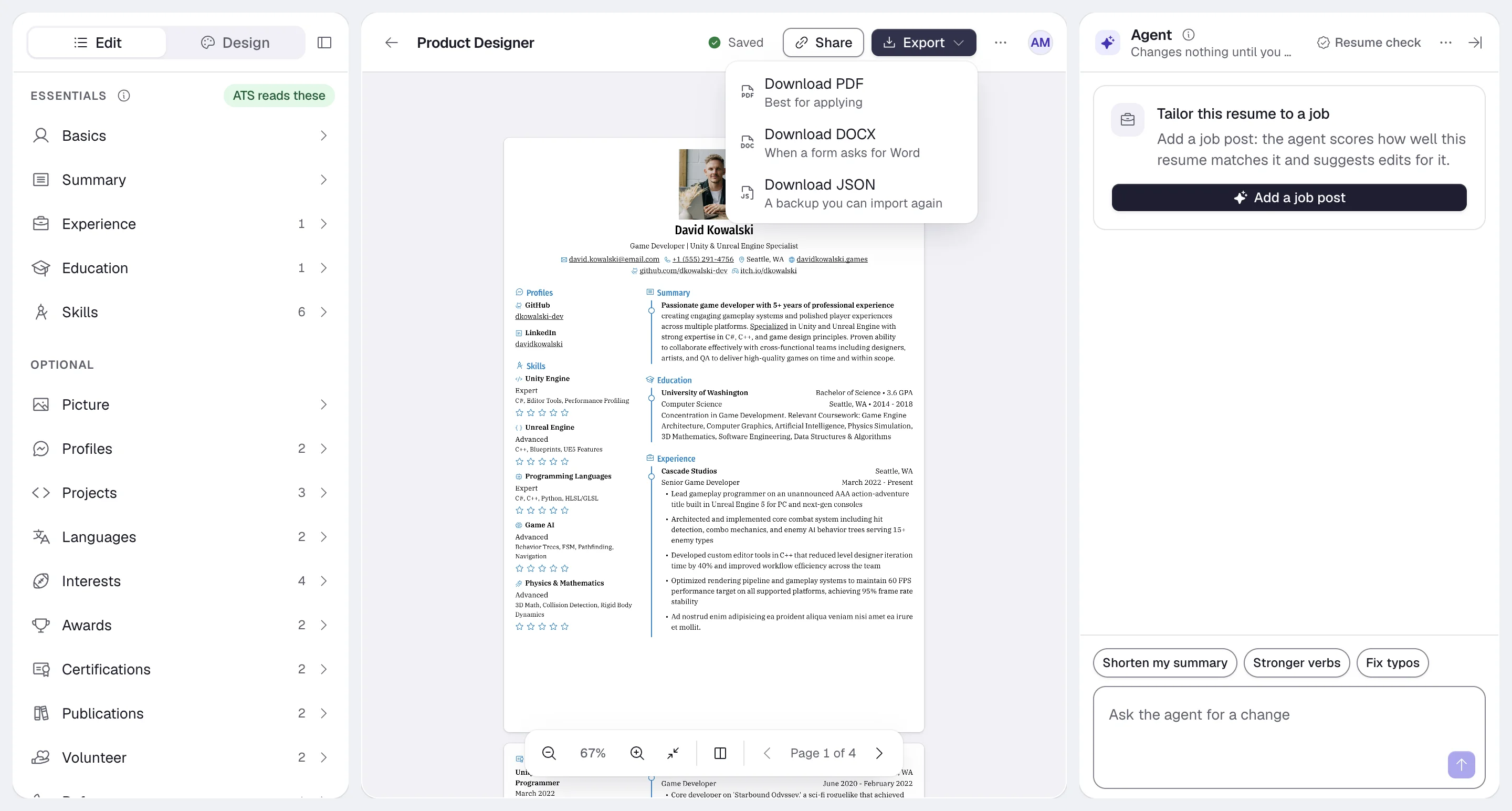
You can download a resume in three formats from the builder:
| Format | Menu label | Use it for |
| --- | --- | --- |
| **PDF** | **Download PDF**: "Best for applying" | Job applications, emails to recruiters and printing. |
| **DOCX** | **Download DOCX**: "When a form asks for Word" | Application forms that want a Word file, or edits in Word or Google Docs. |
| **JSON** | **Download JSON**: "A backup you can import again" | Backups, restoring a resume, or working with the data in other tools. |
## Download a file
On **Resumes**, open the resume you want.
Select **Export** in the header above the canvas. On a phone, open the **…** menu and choose **Export**.
Choose **Download PDF**, **Download DOCX** or **Download JSON**.
The file is built in your browser and saved under the resume's name. A message such as "PDF downloaded" confirms it. Exports don't use AI actions.
## PDF
The PDF uses your current content, template, layout, fonts, colors and page settings. It matches the preview in the builder. Hidden sections and items are left out, and so are your [private notes](https://docs.hiresweep.com/guides/using-private-notes).
## DOCX
The DOCX file follows your template's header and sidebar placement, uses Letter or A4 pages to match your page format, and leaves out hidden sections and items.
A Word file won't look exactly like the PDF; word processors lay text out their own way. Send the PDF whenever a
form accepts it.
## JSON
The JSON file holds the complete resume: every section, hidden items, design settings and your notes. Import it later with **New** > **Import PDF or Word** and the **Hiresweep (JSON)** type to restore the resume or start a new version from it. See [Importing resumes](https://docs.hiresweep.com/guides/importing-resumes).
JSON exports include your private notes. Remove anything sensitive from **Notes** before you share a JSON file.
You can also give the JSON to another tool or an AI assistant and import the edited file as a new resume. Check every change before you use it: AI tools can add details that aren't true. The file follows the [resume JSON schema](https://docs.hiresweep.com/guides/json-resume-schema).
## Public page downloads
When a resume is public, visitors to its page can select **Download PDF** there. Their downloads are counted under **Design** > **Statistics**. See [Sharing your resume publicly](https://docs.hiresweep.com/guides/sharing-your-resume-publicly).
## Download with the API
The API can return a resume's PDF from `GET /resumes/{id}/pdf`, up to 5 requests a minute. See [Using the API](https://docs.hiresweep.com/guides/using-the-api).