What’s in the Design tab
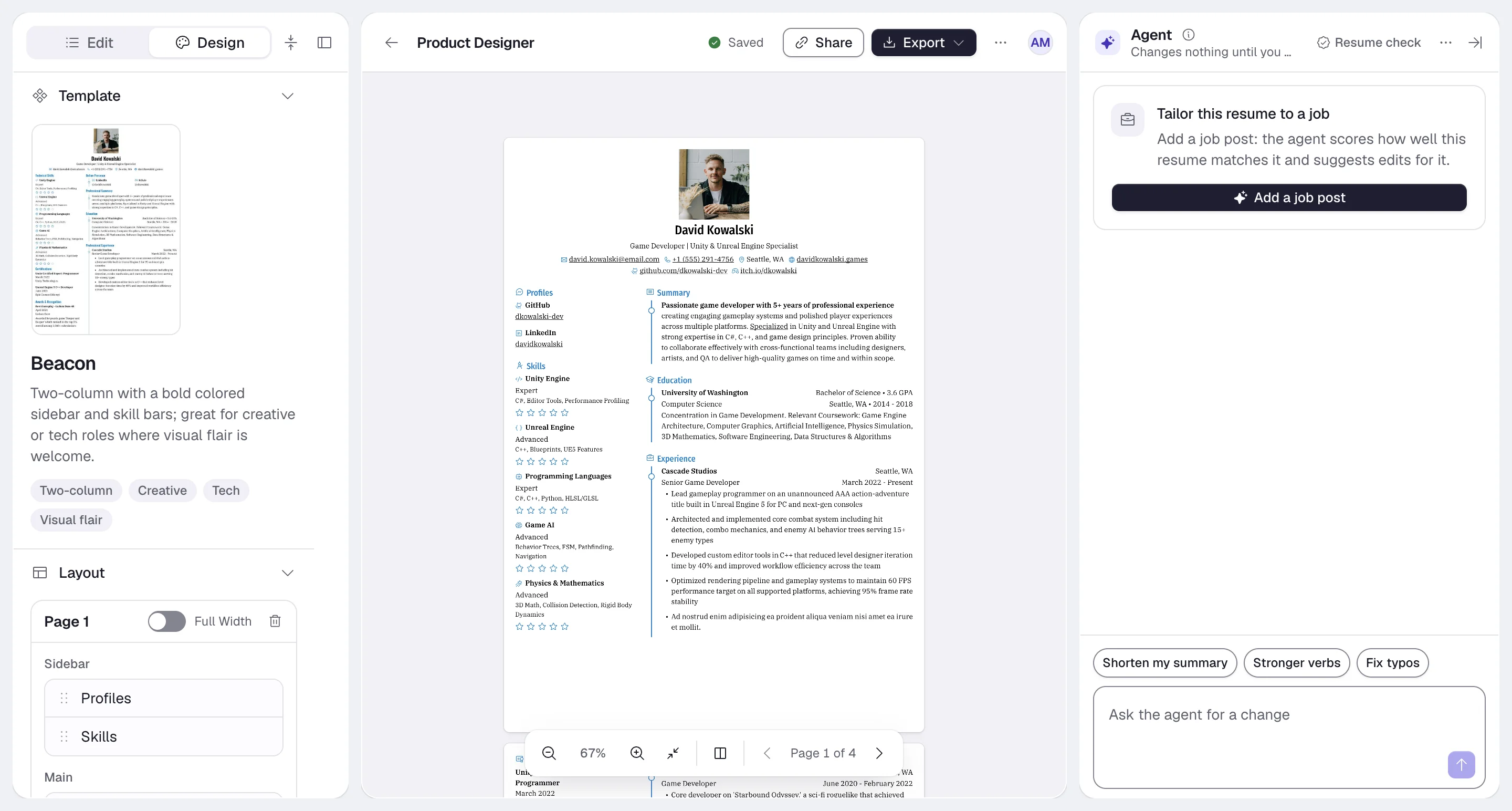
Layout
Layout decides which sections go on which page, and in which column. Each page is a card, Page 1, Page 2 and so on, with a Main column and, next to it, a Sidebar column. Drag a section by its handle to move it within a column, to the other column, or to another page. The order in each column is the order on the resume.
Where the sidebar sits, left or right, depends on the template. Single-flow templates such as Ridge print the sidebar column’s sections after the main column.
To move single items rather than whole sections, use Move to in the Edit tab. See Moving items between sections.
Typography
Typography has two parts, Body for running text and Heading for headings such as section titles.Colors and levels
The Design group sets three colors:- Primary Color: accents such as headings, rules and icons, depending on the template. Pick one of 22 presets (Red, Orange, Blue, Slate and so on) or set your own.
- Text Color: the main text.
- Background Color: the page.
rgba(r, g, b, a) value.
Level sets how skill and language levels are drawn. Choose a Type: Hidden, Circle, Square, Rectangle, Rectangle (Full Width), Progress Bar or Icon. For Icon, pick the icon to repeat in Icon.
Keep enough contrast between the text and background colors. Light text on a colored page is hard to read and may
not print well.
Page
Resume language and app language
These are separate settings:
A heading you renamed with Rename in the Edit tab keeps your wording in any resume language.
New resumes, imports and duplicates start with the resume language set to your app language. If you write a resume in another language, or duplicate one that was in another language, set Language to match it.